
文件QR码转换器:通过扫描分享您的文件
 通过 Vall V.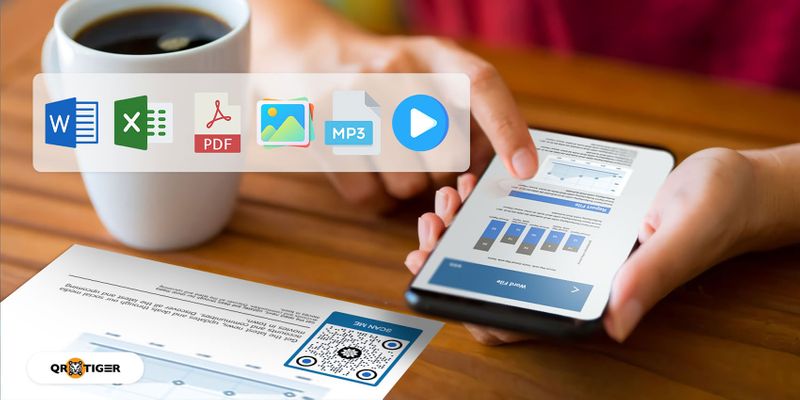
目录
如何使用QR TIGER将文件转换为QR码
这是如何使用文件的QR码生成器将您的文件转换为QR码:
- 去 QR 虎 登录网站。如果您还没有帐户,请注册。
- 选择 文件二维码 然后上传您的文件。然后,点击 生成动态二维码 。
- 定制您的QR码。添加徽标,选择颜色,眼睛,图案,添加带有CTA的边框。
- 运行一个测试扫描,确保你的代码正常工作。
- 下载PNG或SVG格式,打印并分享您定制的文件QR码。
QR TIGER是领先的 PDF转QR码 它具有广泛的定制工具,用于修改QR码设计,使QR码具有吸引力并带有品牌。
它已获得ISO/IEC 27001:2022认证,符合ISO/IEC 27001标准并已准备就绪符合GDPR,因此您可以保证您的机密数据是安全的。

您可以使用文件QR码生成器将文件转换为QR码
使用文件二维码解决方案可以在几秒钟内将所有文件格式转换为二维码:
Word文档转换为QR码

 尝试过为工作或学校分享视频演示吗?
 现在,用户可以通过扫描MP4文件的QR码查看并下载您的MP4文件。 这个二维码可以帮你免去手动分享的麻烦。
您也可以使用这个QR码解决方案来嵌入视频广告,为您的传统营销活动增加数字维度。

使用 QR TIGER,您不仅可以编辑 QR 码内容,还可以编辑现有的 QR 码设计。 使用新添加的 编辑QR设计 特性 。
要这样做,只需在您的仪表板中选择要编辑的动态QR码。点击 设置 ,然后 编辑QR码设计 一旦更改完成,请单击 保存 。
跟踪您的QR码扫描
文件QR码 动态二维码 具有跟踪功能。此功能有助于监控您的QR码的使用情况。
您可以跟踪QR码扫描的总数、扫描器的位置、扫描时间和设备的操作系统。
添加密码
QR TIGER允许用户向其文件QR码添加密码,确保只有预期的个人可以访问该文件。
用户必须先输入正确的密码,才能访问存储在二维码中的文件。
这在处理机密和敏感信息的地方非常推荐,比如政府办公室、银行和工作场所。
到期功能
最好的QR码生成器可以让您设置过期时间或日期。 您也可以让您的QR码在达到特定的扫描次数后过期。 这个功能帮助商店和店铺进行限时促销活动。
假设您有一个文件QR码,可以引导用户获得折扣券。通过到期功能,您可以限制可以使用该折扣券的购买者人数。
电子邮件扫描通知
想要及时了解您的QR码发生了什么吗?您可以启用电子邮件扫描通知,直接在收件箱中接收有关QR码扫描的报告。可以选择每日、每周或每月设置。
在您的文件QR码设计中要遵循的准则
定制您的QR码
制作 PDF 文件的二维码时,c 通过添加颜色并更改眼睛和边框来定制您的QR码,使其对用户更具吸引力。 您还可以添加您的品牌标识来帮助用户识别您的二维码。
它为您的QR码赋予独特和专业的外观,并提升 品牌知名度。
确保部署前您的QR码图像清晰。
使用最好的QR码生成器,您可以下载以SVG格式保存的QR码,以确保打印时的质量。
不要颠倒你的QR码的颜色
当定制您的QR码时,请确保在图案中使用深色,背景中使用浅色。 对比将有助于提高其可读性。
反转这些颜色,另一方面,可能会影响您的QR码质量,导致扫描错误。
正确调整您的QR码大小
推荐的尺寸是多少 打印二维码 文件尺寸为32毫米乘以32毫米(1.25英寸乘以1.25英寸)。
与此同时,公共和街头广告的建议QR码尺寸为扫描距离的十分之一(10:1)。
对于需要扫描距离为20米的材料,比如广告牌,您的QR码应该是2米乘2米,这样人们仍然可以扫描它。
发出号召行动
添加一个引人入胜的 号召行动 将CTA添加到您的QR码中可以吸引目标受众的注意,并鼓励他们扫描。
您的CTA应该引导用户如何处理您的QR码,并传达一种紧迫感,让他们毫不犹豫地扫描您的QR码。
考虑它的放置位置
了解您想要放置二维码印刷材料的位置,因为它们的放置位置可能会影响二维码的参与度。
将带有QR码的海报放在许多人可以看到的地方,比如沿着人行道的路灯杆上、在终点站和公园里。
QR TIGER: 您可信赖的文件转QR码转换器
将文件转换为QR码,以便更快速、更轻松地共享文件。
您只需要发送QR码图片,无需发送文件本身。
使用QR TIGER来保证质量。
它具有令人印象深刻的定制功能和用于动态QR码的高级功能。
它是ISO/IEC 27001认证的 并受到全球超过850,000个品牌的信任,如TikTok、迪士尼、卡地亚和百事可乐。
简化您分享文件的方式。今天访问带有logo的最佳QR码生成器。

常见问题
如何将文件转换为二维码?
使用文件QR码生成器将文件转换为QR码。使用QR TIGER在线工具,上传文件并生成QR码。
你能把文件保存为二维码吗?
是的,您可以将文件保存为QR码。只需使用QR码软件将文件转换为QR码即可。使用QR TIGER的文件QR码解决方案非常简单。
我可以把PDF文件中的QR码内容转换成Word文档吗?
是的,您可以更改QR码中的当前文件或内容,并将PDF替换为Word文档或任何其他支持的文件格式(JPEG、PNG、MP4或Excel文件)。要进行更改,请转到您的文件QR,点击 编辑 上传新文件。保存更改,这样在扫描时,QR码将显示新内容。
png_800_75.jpeg)
本文仅供一般信息目的,不构成法律、财务或其他专业建议。如对{{P0}}的产品或服务有疑问,请联系我们的支持团队,邮箱地址为[email protected]。
常见问题(FAQ)
How to turn a file into a QR code?
Can you save a file as a QR code?
Can I change the file QR code content from PDF to a Word document?
这篇文章有帮助吗?
通过最佳的二维码生成器最大化扫描次数
加入数千家全球品牌,他们使用 QR TIGER 来管理动态路由、批量创建和深度归因分析。
免费开始
