
如何为Google表单创建QR码:扫描并收集回复
 通过 Vall V.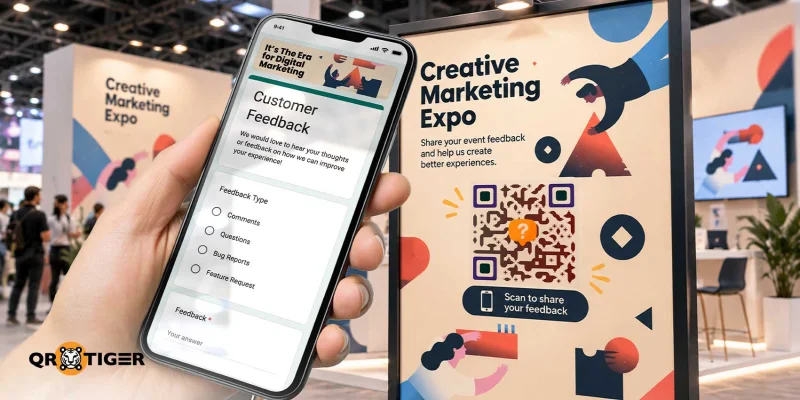
目录
如何为Google表单创建QR码:一步一步的指南
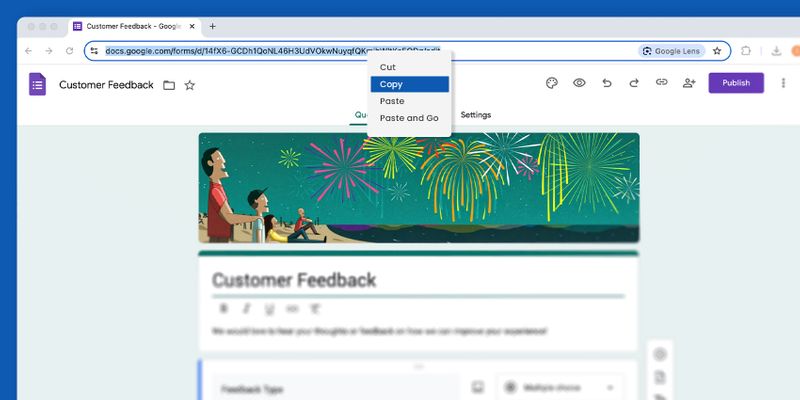
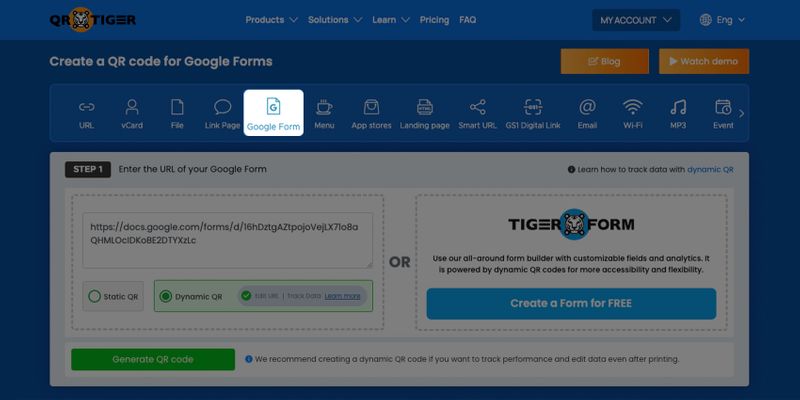

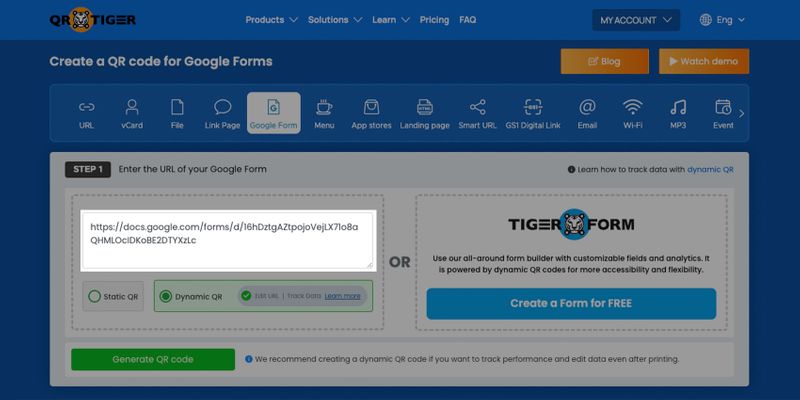
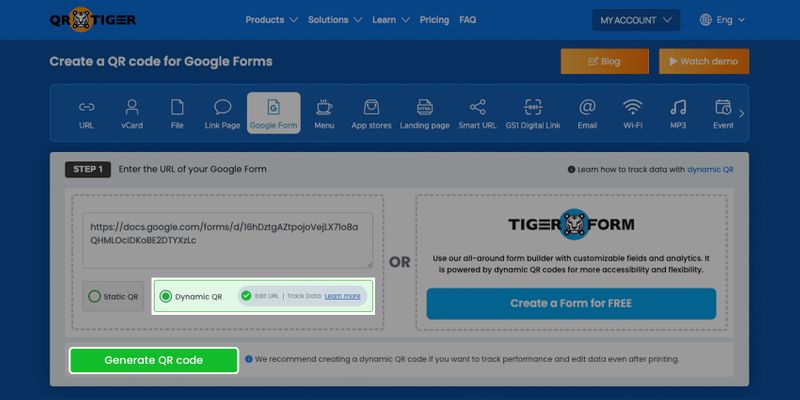
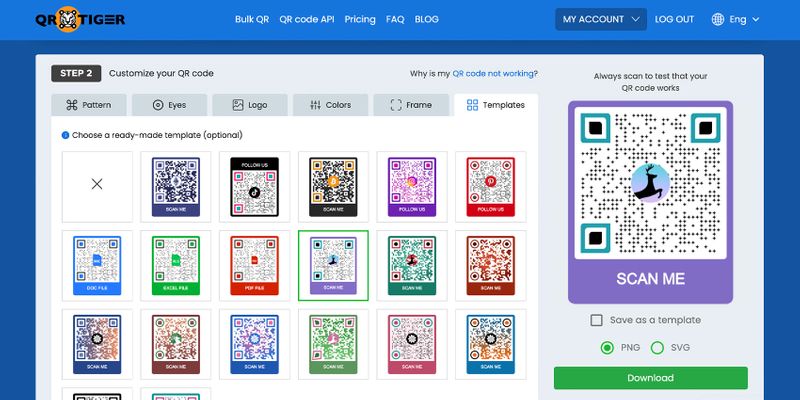
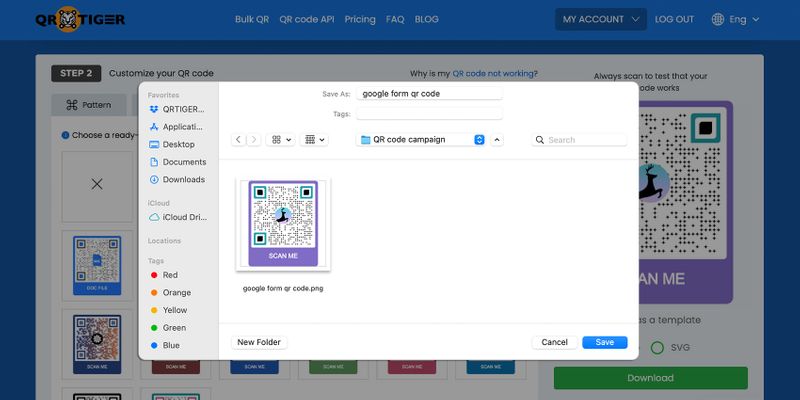
什么是Google表单QR码,它是如何工作的?它是将Google表单转换为QR码的解决方案。与分享链接不同,扫描该码会自动将用户无缝地引导到表单。
首先,您必须在Google Forms平台上创建一个填写表格,然后将其转换为QR码。
登录您的Google账户,然后从右上角的菜单中选择“表单”。接着,使用您喜欢的模板创建一个表单。
一旦您有了一个Google表单,您就可以创建一个 谷歌表格的二维码 将可共享的Google表单链接复制并粘贴到QR码软件中,然后生成、自定义并下载该码。
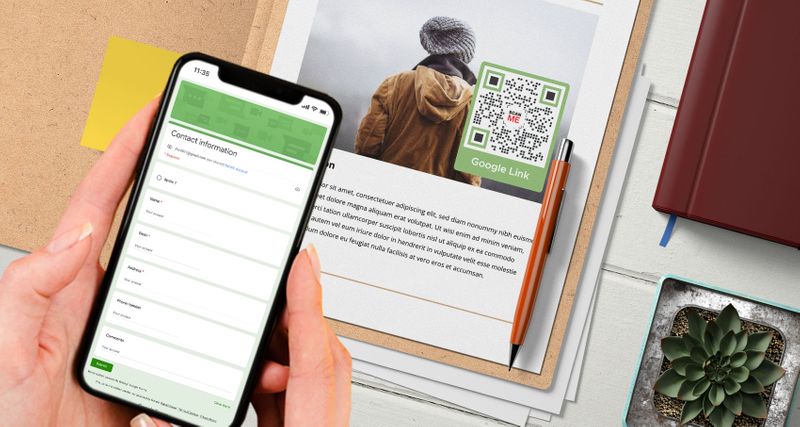
当扫描Google Forms的QR码时,表格将自动显示在用户的智能手机屏幕上。这使他们能够轻松填写您的注册表格、调查表格等。
有许多种方式可以利用Google服务来改善您的工作流程。除了Google表单,您还可以使用 谷歌幻灯片二维码 立即分享您的演示文稿。
为什么动态谷歌表单QR码更好
静态QR码不允许您更改或修改存储的Google表单链接。
另一方面, 动态二维码 允许您将存储在QR码中的链接更改为新链接,将扫描器重定向到不同的在线填写表格。
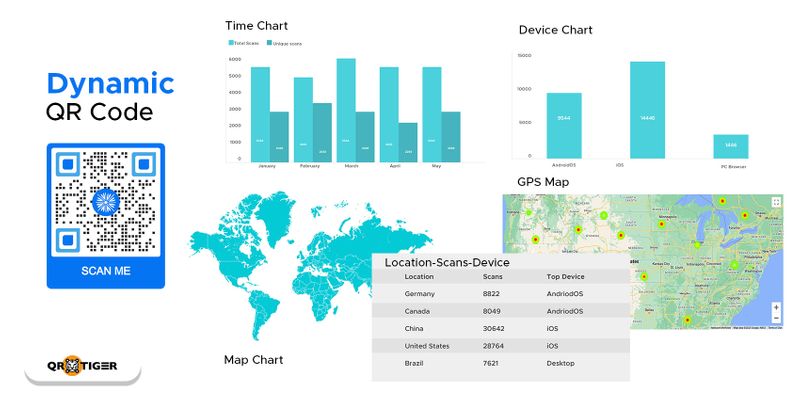
当您以动态模式为Google表单创建QR码时,您可以轻松编辑您的Google表单的QR码,而无需创建或重新打印新的QR码。
这意味着您可以重复使用您的QR码,如果您在一年中实施不同类型的调查,这将非常有用。
您还可以根据调查或活动注册的持续时间设置其过期。您还可以通过展示与您的调查、活动或业务评论相关的广告,重新定位之前扫描QR码但未完成操作的访客。
此外,如果您正在使用QR码进行营销,您还可以跟踪您的QR码分析扫描,并了解您的目标市场行为。
您还可以使用动态QR码解锁更多高级功能。因此建议学习如何使用动态和集成的QR码生成器兼Google表单制作器生成代码。
你甚至可以创建一个 谷歌文档二维码对于您重要的文件。
COVID-19大流行期间的无接触注册
接触式注册表的出现尤其在COVID-19大流行期间浮出水面。
不仅在注册方面,在流程中也是如此,尤其是在支付方式上。政府强制企业实施 非接触支付 系统继续运营。
每个人,包括政府和私营部门,都在努力采取一切预防措施,以避免感染疾病。
此外,餐饮行业在各个场所采用无接触交易,利用互动餐厅菜单QR码软件安全地为顾客提供服务。
The 菜单二维码 如果客户填写了必要信息,也可以检索客户详细信息,以便进行接触追踪。
现在,这不仅通过社交距离的方式完成,还通过诸如电子支付和无接触注册表格等无接触互动来实现,这些都是由二维码技术支持的。
使用QR码进行非实体互动可以防止病毒通过直接接触和物理材料传播。
您可以用数字填写表格替代标准表格,使用QR码,您可以在不触摸任何东西的情况下完成填写,只需使用您的智能手机。
您还可以使用Gmail QR码立即发送电子邮件,以加快交易速度。要扫描QR码,您只需使用您的 智能手机 在照片模式或QR码阅读器应用程序中,使其方便地适用于各个年龄段的人。
总的来说,你需要做的就是扫描Google表格的二维码,在手机上填写显示的必要数据,然后点击提交按钮。
用城里最好的二维码生成器实现数字化和无接触
为Google表单创建一个QR码是收集准确信息的便捷高效方式。
它不仅减少了手动填写表格的工作,还减少了接触,使整个过程更快。
这也是一种方便的方式,只使用智能手机设备就可以收集人们的数据或信息。
您可以更改存储的Google表单链接的后面的新数据,而无需生成另一个QR码。
现在你知道如何将Google表单转换为QR码,你可以使用可靠的在线QR码生成器生成一个。
当您使用QR TIGER为Google表单生成QR码时,您可以保证其质量和效率。立即注册,将您的流程数字化。

常见问题
为什么要使用二维码来访问Google表单?
使用QR码分享Google表单有很多理由,而且都带来了好处。以下是其中一些:
- 简单的链接分享: 将QR码整合到海报或传单等印刷材料中,以便离线分享Google表单,避免分享冗长的URL带来的麻烦。
- 快速表单访问: 用智能手机扫描QR码可以立即打开表格,简化填写调查或收集数据的流程。
- 手机友好 全球拥有数十亿智能手机用户,QR码是采用移动优先方法的无缝方式,确保广泛可访问性。
- 便利: 用QR码取代传统纸质调查,以实现更快速、更简便、更易访问的在线表单填写。
Google表格QR码的好处是什么?
A Google表格QR码 提供多功能解决方案,简化流程并改善用户体验。主要优势包括:
- 鼓励性反馈: QR码使顾客能够轻松访问表格、提供评论和分享见解,帮助企业改善其服务和策略。
- 简化的调查: 受访者可以通过快速扫描轻松访问在线调查,提高回应率和便利性。
- 高效的活动注册: 参与者可以通过扫描二维码立即进行预注册,减少排队时间并减少错误。
- 简化的签到: 酒店可以使用QR码实现无缝客人办理入住,提高满意度并提高效率。
- 简单预订: QR码取代手动预订系统,提供了一种无忧的数字化方式来管理预约和订座。
如何制作Google表格?
要创建Google表单,请登录您的Google账户。登录后,点击右上角的糖果盒按钮。向下滚动并点击“表单”。您可以使用干净的模板或预设计的模板。

本文仅供一般信息目的,不构成法律、财务或其他专业建议。如对{{P0}}的产品或服务有疑问,请联系我们的支持团队,邮箱地址为[email protected]。
常见问题(FAQ)
What is a Google Form QR code?
Can I make a QR code for an existing Google Form?
Can I edit a Google Form after creating its QR code?
Does a Google Form link QR code expire?
Do people need a Google account to answer a Google Form?
这篇文章有帮助吗?
通过最佳的二维码生成器最大化扫描次数
加入数千家全球品牌,他们使用 QR TIGER 来管理动态路由、批量创建和深度归因分析。
免费开始
