
文件QR碼轉換器:通過掃描分享您的文件
 透過 Vall V.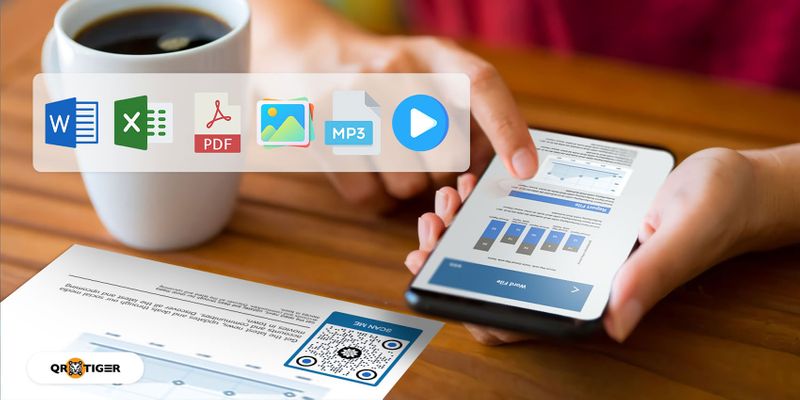
目錄
如何使用 QR TIGER 將檔案轉換為 QR 碼
這是將您的檔案轉換為 QR 碼的方法,使用檔案的 QR 碼生成器:
- 去 QR TIGER 登入您的帳戶或者如果您還沒有帳戶,請註冊。
- 選擇 文件QR碼 上傳您的檔案。然後,點擊 生成動態QR碼 。
- 自訂您的QR碼。添加標誌、選擇顏色、眼睛、圖案,加入帶有CTA的框架。
- 運行測試掃描以確保您的代碼正常運作。
- 下載為PNG或SVG格式,列印並分享您的自定義文件QR碼。
QR TIGER 是領先的 PDF轉QR碼 它具有廣泛的自定義工具,可修改QR碼設計,使QR碼具有吸引力並帶有品牌特色。
它已經通過ISO/IEC 27001:2022認證,並且符合ISO/IEC 27001標準和GDPR要求,因此您可以保證您的機密數據是安全的。

您可以使用文件QR碼生成器將文件轉換為QR碼
使用文件QR碼解決方案,可以在幾秒鐘內將所有文件格式轉換為QR碼:
Word文件轉換為QR碼

 曾經嘗試過在工作或學校分享視頻演示嗎?
 現在,用戶可以通過掃描 MP4 文件的 QR 碼來查看和下載您的 MP4 文件。 這個QR碼可以幫你省去手動分享的麻煩。
您也可以使用這個QR碼解決方案來嵌入視頻廣告,為您的傳統營銷活動增加數字維度。

使用 QR TIGER,您不僅可以編輯 QR 碼內容,還可以編輯現有的 QR 碼設計。 使用新添加的 編輯QR設計 特色 。
要這樣做,只需在您的儀表板中選擇要編輯的動態QR碼。點擊 設定 , 然後 編輯QR碼設計 一旦更改完成,請點擊 保存 。
追蹤您的QR碼掃描
文件QR碼 動態QR碼 這個功能具有追蹤能力。這個功能有助於監控您的QR碼的使用情況。
您可以追蹤QR碼掃描的總數、掃描器的位置、掃描時間和設備的操作系統。
添加密碼
QR TIGER 允許用戶將密碼添加到其文件 QR 碼中,確保只有預期的個人可以訪問該文件。
用戶必須先輸入正確的密碼才能訪問存儲在QR碼中的文件。
這是強烈推薦給處理機密和敏感信息的地方,如政府辦公室、銀行和工作場所。
到期功能
最好的QR碼生成器讓您設置到期時間或日期。 您也可以設定您的QR碼在達到特定掃描次數後過期。 這個功能幫助商店運行限時促銷活動。
假設你有一個檔案 QR 碼,可以連結到折扣券。有了到期功能,你可以限制可以使用它的買家人數。
郵件掃描通知
想要隨時掌握你的QR碼的情況嗎?您可以啟用郵件掃描通知功能,直接在收件匣中收到有關QR碼掃描的報告。可以設定每日、每週或每月通知。
在您的文件 QR 碼設計中應遵循的指南
自訂您的QR碼
製作 PDF 的 QR 碼時,c 通過添加顏色和更改眼睛和邊框來自定義您的QR碼,使其對用戶更具吸引力。 您也可以添加您的品牌標誌來幫助用戶識別您的QR碼。
它為您的QR碼賦予獨特且專業的外觀,並提升 品牌知名度。
確保部署前您的QR碼圖像清晰。
使用最好的QR碼生成器,您可以下載以SVG格式的QR碼,以確保其在印刷時的品質。
不要反轉您的QR碼顏色
當自定義您的QR碼時,請確保將深色用於圖案,將淺色用於背景。 對比將有助於提高其可讀性。
反轉這些顏色,另一方面,可能會影響您的QR碼質量,導致掃描錯誤。
QR碼的正確尺寸
建議的尺寸是多少 列印 QR 碼 一個文件的尺寸為32毫米乘以32毫米(1.25英寸乘以1.25英寸)。
同時,建議用於公共和街頭廣告的QR碼尺寸應為掃描距離的十分之一(10:1)。
對於需要掃描距離為20米的材料,例如廣告牌,您的QR碼應該是2米乘2米,這樣人們仍然可以掃描它。
呼籲行動
增加一個引人入勝的 號召行動 將CTA添加到您的QR碼中可以吸引目標受眾的注意並鼓勵他們掃描。
您的呼籲應該引導用戶如何處理您的QR碼,並傳達一種緊迫感,讓他們毫不猶豫地掃描您的QR碼。
考慮它的放置
了解您想要放置QR碼印刷材料的位置,因為它們的放置可能會影響QR碼的參與度。
將帶有QR碼的海報放在許多人可以看到的地方,例如沿著人行道的燈柱上,車站,和公園裡。
QR TIGER: 您值得信賴的文件轉換為QR碼工具
將檔案轉換為QR碼,以使分享檔案更快速、更容易。
您只需要發送QR碼圖片即可;不需要發送文件本身。
使用 QR TIGER 來保證品質。
它具有令人印象深刻的定制功能和用於動態QR碼的高級功能。
它是ISO/IEC 27001認證的 以及受到全球超過 850,000 個品牌的信任,如 TikTok、Disney、Cartier 和 PepsiCo。
簡化您分享文件的方式。今天訪問帶有標誌的最佳QR碼生成器。

常見問題
如何將檔案轉換成QR碼?
將文件轉換為QR碼,使用文件QR碼生成器。在線使用QR TIGER,上傳文件並生成您的QR碼。
你可以將檔案存成QR碼嗎?
是的,您可以將文件保存為QR碼。只需使用QR碼軟件將文件轉換為QR碼即可。使用QR TIGER的文件QR碼解決方案非常簡單。
我可以將PDF檔案中的QR碼內容更改為Word文件嗎?
是的,您可以更改QR碼中的當前文件或內容,並將PDF替換為Word文檔或任何其他支持的文件格式(JPEG、PNG、MP4或Excel文件)。要進行更改,請轉到您的文件QR,點擊 編輯 上傳新檔案。保存更改,這樣掃描時QR碼將顯示新內容。
png_800_75.jpeg)
本文僅供一般資訊目的,並不構成法律、財務或其他專業建議。如對{{P0}}的產品或服務有疑問,請聯繫我們的支援團隊,電郵地址為:[email protected]。
常見問題(FAQ)
How to turn a file into a QR code?
Can you save a file as a QR code?
Can I change the file QR code content from PDF to a Word document?
這篇文章對您有幫助嗎?
最大化使用最佳 QR 碼產生器進行掃描
加入成千上萬全球品牌,使用 QR TIGER 來管理動態路由、批量創建和深度歸因分析。
免費開始
