
如何為Google表單創建QR碼:掃描並收集回應
 透過 Vall V.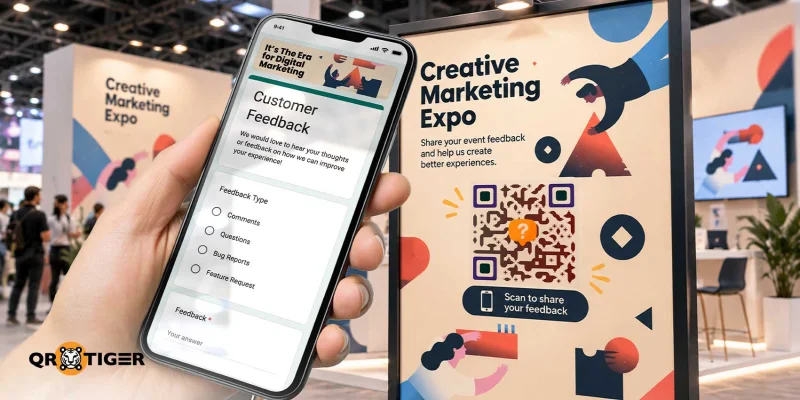
目錄
如何為Google表單創建QR碼:逐步指南
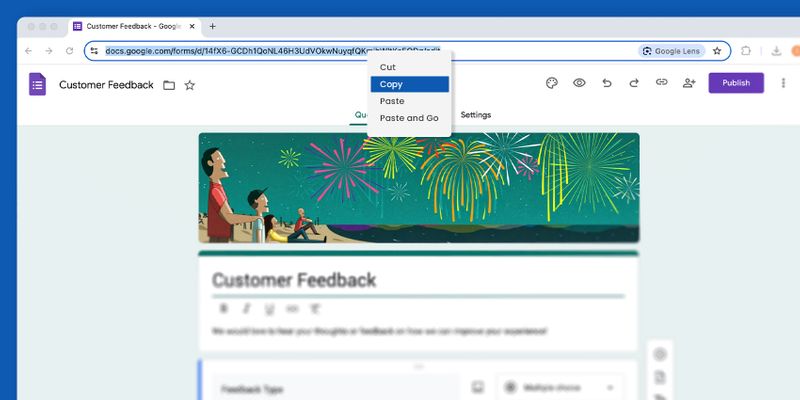
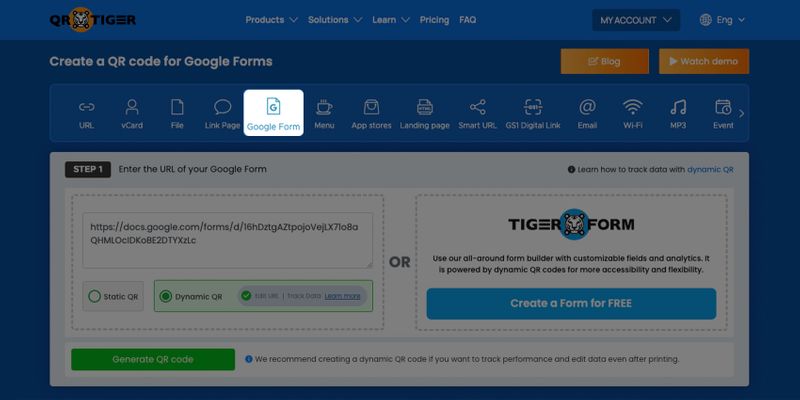

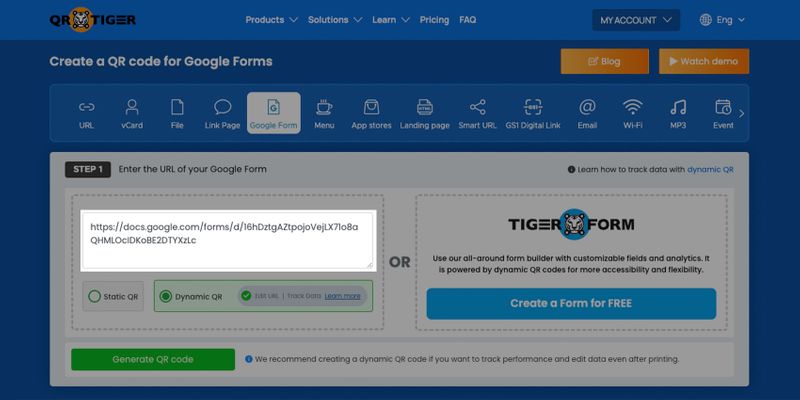
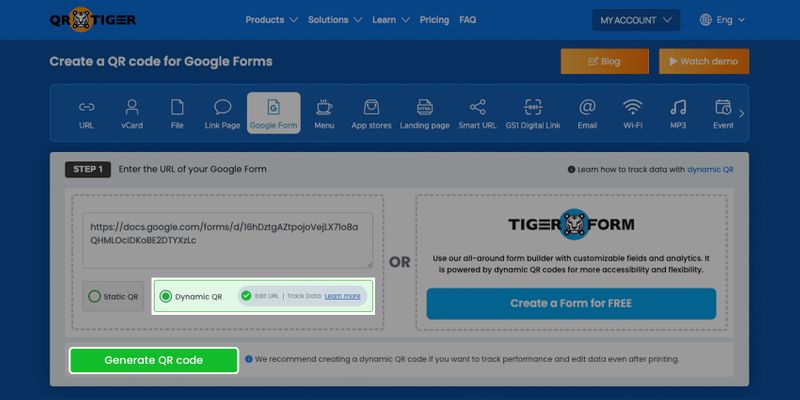
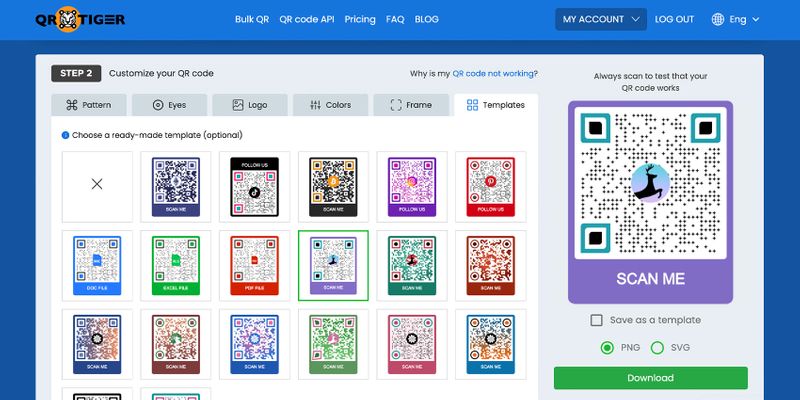
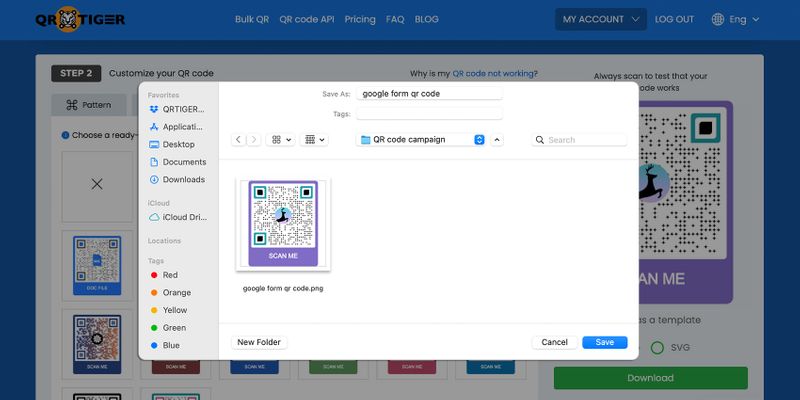
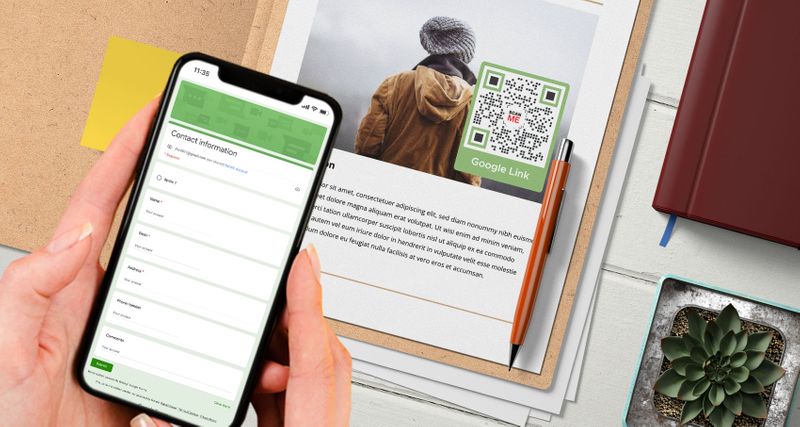
Google Forms QR code是什麼,它是如何運作的?它是將Google表單轉換為QR碼的解決方案。掃描該碼而非分享連結,可以自動將用戶無煩惱地導向表單。
首先,您必須在Google Forms平台上創建一個填寫表格,以將其轉換為QR碼。
登入您的Google帳戶,並從右上角的選單中選擇「表單」。然後,使用您喜歡的模板創建一個。
一旦您有一個Google表單,您可以創建一個 Google表單的QR碼 將可共享的Google表單鏈接複製並粘貼到QR碼軟件中,然後生成、自定義並下載該QR碼。
當掃描Google Forms的QR碼時,表格將自動顯示在您的用戶智能手機屏幕上。這使他們可以輕鬆填寫您的註冊表格、調查表格等。
有很多種方式 QR 碼可以幫助您使用 Google 服務來改善工作流程。除了 Google Forms 外,您也可以使用 Google 幻燈片 QR 碼 立即分享您的簡報。
為什麼動態的Google表單QR碼更好
靜態QR碼將不允許您更改或修改存儲的QR碼中的Google Forms鏈接。
另一方面, 動態QR碼 允許您將QR碼中存儲的鏈接更改為新鏈接,將掃描器重定向到不同的在線填寫表單。
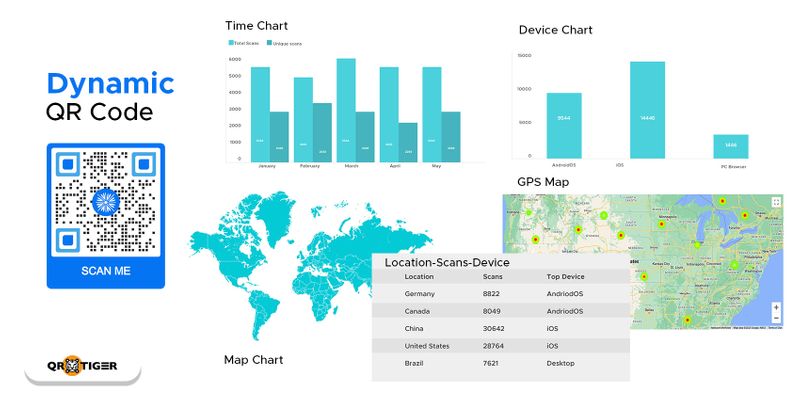
當您以動態模式為Google Forms創建QR碼時,您可以輕鬆編輯您的Google Forms QR碼,而無需創建或重新列印新的QR碼。
這意味著您可以重複使用您的QR碼,這對於您在一年中實施不同類型的調查非常有用。
您也可以根據您的調查或活動註冊的持續時間來設置它的到期時間。您還可以重新定位掃描過QR碼但未完成操作的先前訪客,通過展示與您的調查、活動或業務評論相關的廣告。
此外,如果您正在使用QR碼進行營銷,您也可以追蹤您的QR碼分析掃描,並了解您的目標市場行為。
您也可以使用動態QR碼解鎖更多高級功能。這就是為什麼建議學習如何使用動態和集成的QR碼生成器斜槓Google表單製作工具。
你甚至可以創建一個 Google Docs QR code對於您重要的文件檔案。
COVID-19大流行期间的无接触注册
接觸式註冊表格的出現尤其在COVID-19大流行期間浮出水面。
不僅在註冊方面,在流程中也是如此,尤其是在付款方式上。政府強迫企業實施 無接觸付款 系統繼續運作。
每個人,包括政府和私人部門,都齊心協力,採取一切預防措施,以避免感染疾病。
此外,餐飲業在店內採用無接觸交易,使用互動餐廳菜單QR碼軟件,以安全地為顧客提供服務。
The 菜單QR碼 如有需要,也可以檢索客戶詳細資料(如果客戶填寫了必要信息)以進行接觸追踪。
現在,這不僅通過社交距離的方式來實現,還通過電子支付和無接觸註冊表格等無接觸互動方式來推動,並由QR碼提供支持。
使用QR碼進行非實體互動可以防止病毒通過直接接觸和物理材料傳播。
你可以使用 QR 碼替換標準表格,填寫數位填寫表格,而不必碰觸任何東西,只需使用智慧手機完成。
您也可以使用Gmail QR碼立即發送郵件,以加快交易速度。只需掃描QR碼,您就可以使用您的 智能手機 在照片模式或QR碼閱讀器應用程式中,使其方便地供各年齡層的人使用。
總的來說,你唯一需要做的就是掃描Google Forms的QR碼,在智慧手機上填寫顯示的必要資料,然後點擊提交按鈕。
使用城鎮中最好的QR碼生成器,讓您轉向數碼化和無接觸方式
為Google Forms 創建QR碼是一種方便高效地收集準確信息的好方法。
不僅可以減少手動填寫表格的次數,還可以減少接觸,使整個過程更快。
這也是一種方便的方式,只使用智慧手機設備就可以收集人們的數據或信息。
您可以更改存儲的 Google 表單鏈接以更新其後的新數據,而無需生成另一個 QR 碼。
現在您知道如何將Google表單轉換為QR碼,您可以使用可靠的在線QR碼生成器來生成一個。
當您使用QR TIGER為Google Forms生成QR碼時,您可以保證其質量和效率。立即註冊,將您的流程數位化。

常見問題
為什麼要使用 QR 碼來填寫 Google 表單?
其實有很多理由可以使用QR碼來分享Google表單,而且它們都帶來了好處。以下是其中一些:
- 簡單的連結分享: 將QR碼整合到印刷材料中,如海報或傳單,以便離線分享Google Forms,避免分享冗長的網址所帶來的麻煩。
- 快速表單存取: 使用智慧手機掃描QR碼可立即打開表格,使填寫調查或收集數據的過程更加流暢。
- 手機友好 擁有數十億智慧手機用戶的全球範圍內,QR 碼是採用以手機為先的無縫方式,確保廣泛可及性的方法。
- 方便: 用QR碼取代傳統紙張調查,以加快、更輕鬆、更便利地完成線上表格。
Google表單QR碼的好處是什麼?
一 Google表單QR碼 提供多功能解決方案,簡化流程並改善用戶體驗。主要好處包括:
- 鼓勵性的回饋: QR碼讓客戶可以輕鬆存取表格、提供評論和分享見解,幫助企業改善其服務和策略。
- 精簡的調查: 目標受訪者可以輕鬆地通過快速掃描訪問網上調查,提高回應率和便利性。
- 高效的活動註冊: 參與者可以通過掃描QR碼立即預先註冊,減少排隊時間並減少錯誤。
- 簡化的報到: 酒店可以使用QR碼進行無縫客戶入住,提高滿意度並提高效率。
- 輕鬆預訂: QR碼取代手動預訂系統,提供一種無憂無慮的數位方式來管理預約和訂位。
如何製作 Google 表單?
要創建Google表單,請登入您的Google帳戶。登入後,點擊右上角的糖果盒按鈕。向下滾動並點擊「表單」。您可以使用乾淨的模板或預設的模板。

本文僅供一般資訊目的,並不構成法律、財務或其他專業建議。如對{{P0}}的產品或服務有疑問,請聯繫我們的支援團隊,電郵地址為:[email protected]。
常見問題(FAQ)
What is a Google Form QR code?
Can I make a QR code for an existing Google Form?
Can I edit a Google Form after creating its QR code?
Does a Google Form link QR code expire?
Do people need a Google account to answer a Google Form?
這篇文章對您有幫助嗎?
最大化使用最佳 QR 碼產生器進行掃描
加入成千上萬全球品牌,使用 QR TIGER 來管理動態路由、批量創建和深度歸因分析。
免費開始
